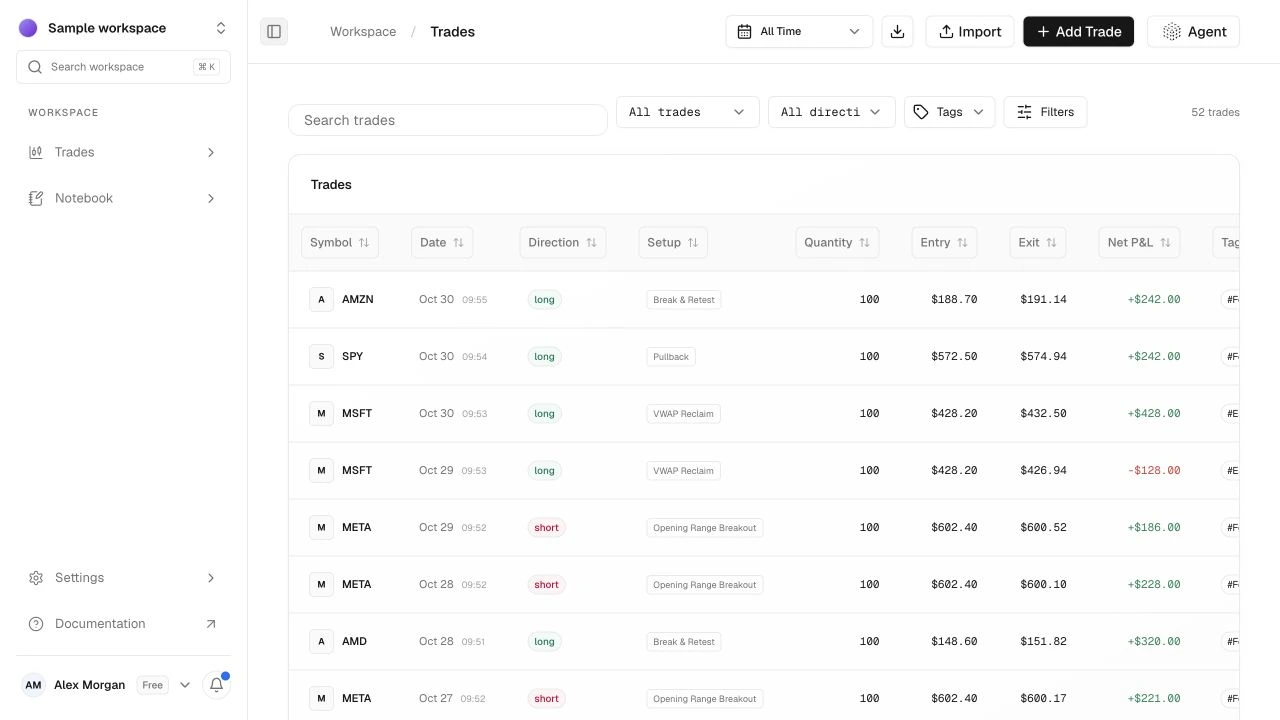
What is trade review?
DefinitionCompare planned entries, exits, and risk with actual execution. Separate process quality from the outcome of one trade.
Built for traders who revisit the evidence.
Who it is forFor traders who want to keep execution facts and decision context together, compare sessions, and return to a consistent review process. Use your broker statement as the reference for reconciling imported records.
From executions to a focused review.
How it works- 1Import supported broker executions or add a trade manually.
- 2Check quantities, dates, execution prices, and fees against your records.
- 3Review the session in Calendar and compare outcomes in Analytics.
- 4Keep your reasoning and one next step in Notebook.
The tools connected to this workflow.
CapabilitiesTrade history
Inspect execution details and filter the trades behind a result.
Performance analytics
Compare your recorded outcomes and investigate patterns.
A connected notebook
Keep plans, screenshots, playbooks, and reviews in one place.
Imports and exports
Bring supported CSV records into the journal and keep a copy of your history.
What makes the journal different?
Traderbase approachCreate a free account and start with a supported CSV import. Use Trades to check execution details, then move to your calendar, analytics, and notebook for the review. Keep the numbers and your thinking connected, then revisit them with more evidence over time.
Trade review FAQ
Can I try the workflow first?
Yes. Create a free account to start a journal and import your own trading records.
Does the journal make trading decisions?
No. The journal supports recordkeeping and reflection. Verify imported records and generated observations before relying on them.