TraderBase scanner docs
Introduction
TraderBase is a stock-scanning and market-intelligence platform for active traders.
Maintained by TraderBase · Updated
What TraderBase is
TraderBase combines configurable stock scanners, streaming alerts, TradeBase Agent, and supporting chart and market context in one focused workspace. It is built for this scanner workflow:
- Scan for configured momentum, price, gap, volume, relative-volume, float, liquidity, and event conditions.
- Alert when a supported qualifying event occurs.
- Validate the symbol with charts, VWAP, volume, news, filings, offering context, and halt data.
- Understand how TradeBase Agent connects available market events and sources.
- Decide independently whether and how to act.
Scanner events identify measured conditions. They are not personalized recommendations, instructions to buy or sell, or automated live orders.
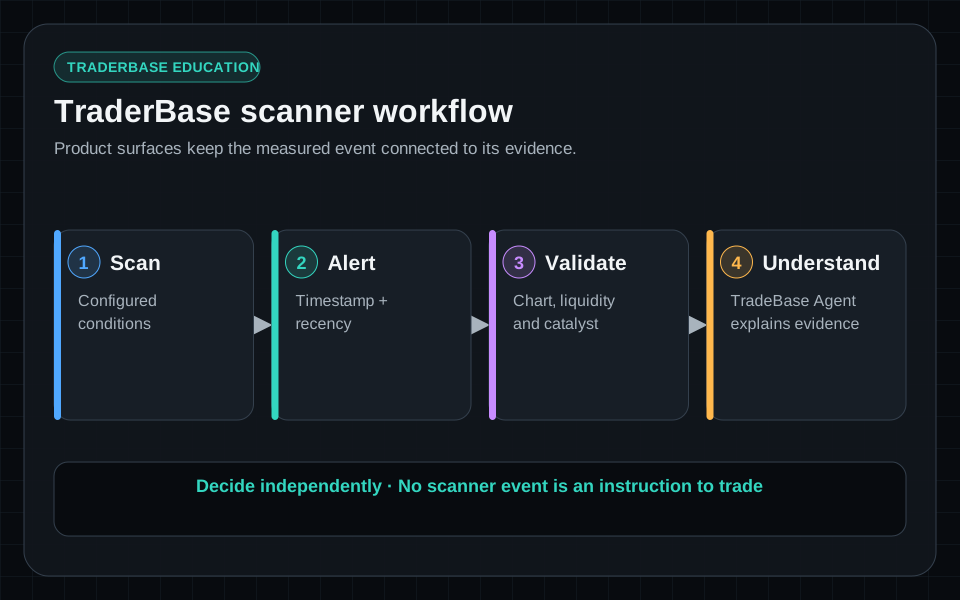
workflowIllustrative example · Synthetic data · Not live market data
- 1Scanner widgets show current-state lists and timestamped event surfaces.
- 2Selecting a scanner row updates the linked chart symbol.
- 3Linked charts provide price, volume, VWAP, and moving-average context for validation.
- 4The watchlist preserves a smaller set of symbols for continued validation.
- 5Status indicators communicate current, delayed, reconnecting, or unavailable data.
screenshotProduct screenshot · Synthetic data · Not live market data
Core surfaces
- Stock scanners — current-state lists and timestamped events for implemented presets and configured conditions.
- Streaming alerts — scanner-event notifications with symbol, event time, trigger, and available market-data status.
- TradeBase Agent — factual scanner explanations, module briefs, ticker intelligence, catalyst timelines, and source-aware answers.
- Scanner context — watchlists, charts, VWAP, volume, news, SEC filings, offerings, halts, Time & Sales, and available NBBO context.
Data and time
Free accounts receive charts, scanners, Time & Sales, and NBBO data with a 15-minute delay. Gold includes real-time streaming data.
Start here
Follow the Quickstart, then read Scanner presets, TradeBase Agent, and Workspace & scanners.