Define the gap from the correct reference
A premarket gap is commonly measured from the prior regular-session close to the current premarket price. Mixing a previous extended-hours print, an adjusted close, or a stale quote into that calculation can change the result materially.
Use an explicit premarket session and display timezone. TraderBase timestamps can follow the user’s selected timezone while session boundaries and market calculations remain anchored to the appropriate U.S. market session.
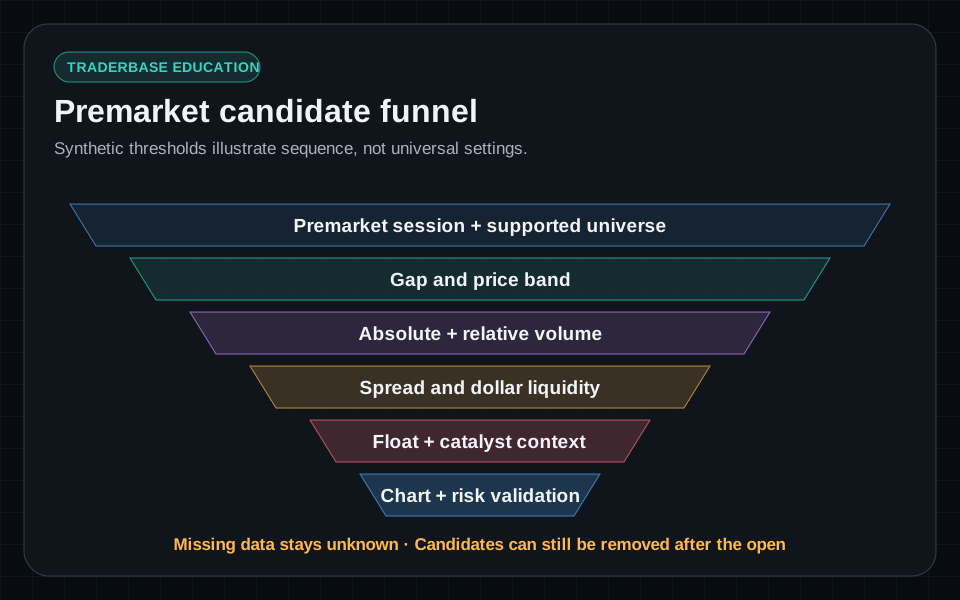
Start broad, then add participation filters
A useful first pass combines a supported price range with a minimum absolute gap and minimum premarket volume. Relative volume can add context when the provider supplies a suitable time-of-day baseline, but it should not replace absolute liquidity requirements.
For illustration, a trader might explore a four-percent minimum gap, a $1 to $20 price band, and at least 100,000 premarket shares. Those values are examples, not universal settings or recommendations. The appropriate thresholds depend on strategy, liquidity needs, data coverage, and risk limits.
- Session: premarket only.
- Price and gap: define the universe and minimum move.
- Premarket volume and dollar volume: remove inactive names.
- Relative volume: compare activity when a valid baseline exists.
Use float and market cap as context, not certainty
Float can help focus a small-cap workflow, but float values can be stale, calculated differently by providers, or unavailable. A low reported float does not guarantee volatility, and a higher float does not prevent a strong move when participation is large.
Treat unavailable float as unknown. Pair float and market cap with spread, dollar volume, recent offerings, reverse splits, SEC filings, and the amount of volume already traded.
Read the results in three passes
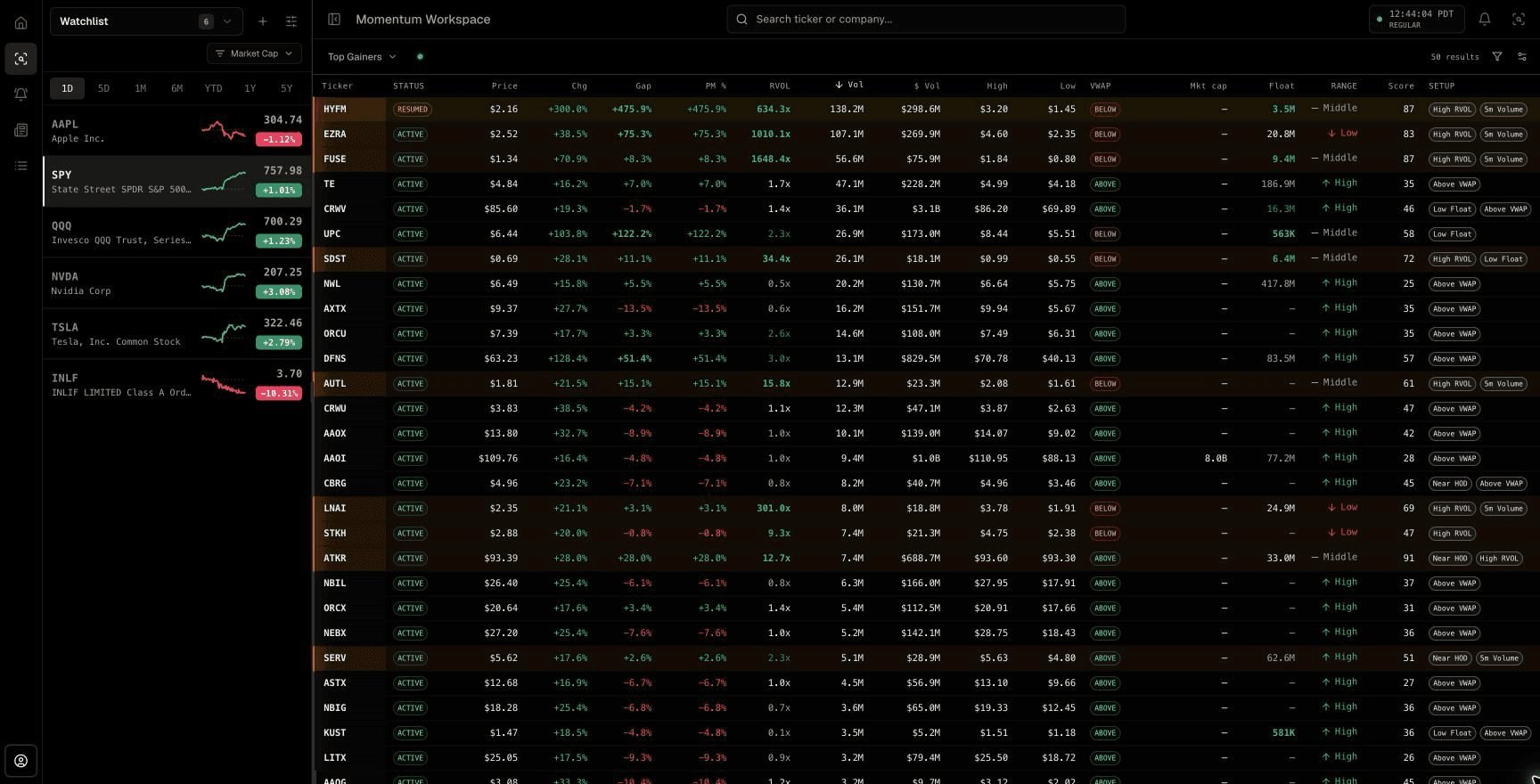
First confirm the market session, connection badge, row status, and Updated time. Second compare Gap, PM %, RVOL, share volume, and dollar volume to separate a large percentage move from broad participation. Third inspect VWAP, day high and low, range position, spread, float, market cap, setup tags, and news availability.
To find a particular type of candidate, change the preset before stacking arbitrary filters: Premarket Gappers for session gaps, High RVOL or Top 5m Volume for participation, Low Float Runners for reported supply, HOD Momentum for proximity to the high, and News Catalyst Movers for publisher-linked activity. A dash means unavailable data, not zero.
- Freshness first: session, connection state, status, and Updated time.
- Participation second: RVOL, volume, dollar volume, and spread.
- Structure third: VWAP, high, low, range, setup tags, and chart context.
- Catalyst last: open the source and timestamp instead of relying on a badge alone.
Add catalyst and tradability checks
News can help explain a gap, but the headline, timestamp, source, and relationship to the company still need inspection. An absence of supported news does not prove there is no catalyst, and a headline does not guarantee continued demand.
Before promoting a gapper to the watchlist, inspect spread behavior, premarket high and low, nearby daily levels, offering context, halt risk, and whether the planned stop distance fits the account’s risk rules.
Re-evaluate when regular trading begins
Premarket rankings are provisional. At the opening bell, liquidity, volume, and price structure can change quickly. A candidate should remain only if it continues to satisfy the active scanner and validation criteria.
Streaming alerts can report a premarket-high break, opening-range event, VWAP change, or loss of structure without turning any one event into an instruction to trade.
Educational content only. Trading involves substantial risk, and scanner events are not recommendations to buy or sell securities.
Common questions
Questions about this scanner workflow
What gap percentage should a premarket scanner use?
There is no universal threshold. The minimum should match the trader’s universe and be tested alongside price, liquidity, spread, and volume requirements. Example settings are starting points, not recommendations.
Should a premarket gap scanner require news?
A news filter can focus catalyst-driven moves, but provider coverage can be incomplete and not every headline is meaningful. Many workflows show news status as context rather than treating it as proof.
Can premarket volume be compared with regular-session volume?
They describe different sessions and liquidity conditions. Use session-aware volume fields and an appropriate time-of-day baseline when comparing activity.